Serving Houston, Texas | Residential & commercial
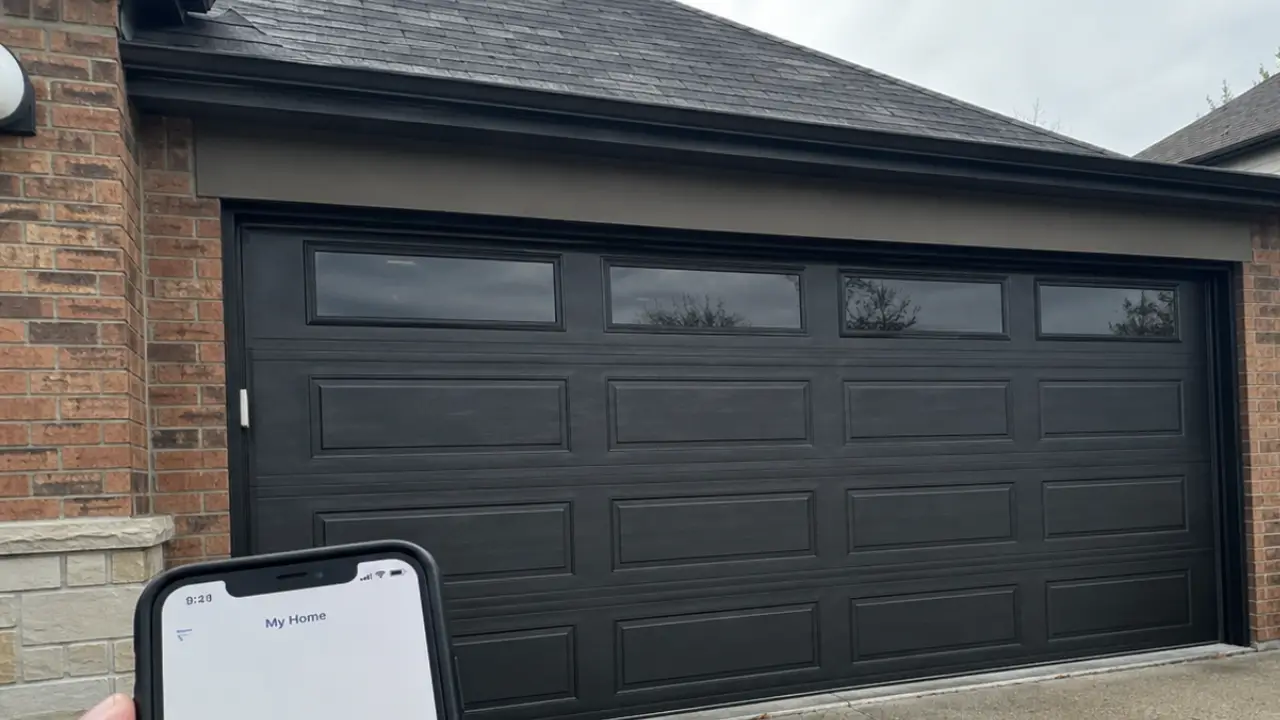
Smart Garage Garage Door Type in Houston connects a compatible garage door opener to phone controls, access alerts, and selected home systems. US Garage Door Repair helps Houston, TX homeowners check compatibility, address mechanical problems, and choose useful smart features without overlooking safe door operation.
A smart garage setup adds connected controls to a garage door opener, not a separate style of door. The door can still be steel, wood, aluminum, or another suitable material.
The connected equipment handles commands and reports door status through a compatible app. Depending on the product, you may receive alerts, review activity, or give another person access.
A Smart Garage Garage Door Type setup generally follows either of two paths.
The right path depends on your current opener, door condition, and preferred controls.
A phone app cannot fix a bent track or a broken spring, even if you ask it nicely.
A smart upgrade works best when the garage door already moves safely and correctly. Connected controls should never hide mechanical problems or encourage repeated operation of a struggling door.
Before discussing app features, we look at the door and its operating system. Door weight, spring condition, roller movement, and opener performance all affect the recommendation.
Does your door shake, scrape, or stop halfway? Those symptoms need attention before remote access becomes useful.
Springs, cables, and tensioned hardware require professional handling. Homeowners should not loosen these parts to prepare for an upgrade.
An add-on controller may suit a compatible opener in good condition, while replacement may better address outdated or unreliable equipment. The opener’s model and control system matter more than appearance alone.
Some controllers work only with specific opener models or manufacturing periods. Others need a separate door-position sensor or an approved adapter.
A new connected opener may bring phone access, suitable wall controls, and battery backup options into a single system. Those features vary by product and should be confirmed before selection.
Replacing functional equipment is not always necessary. Adding a controller to an unsuitable opener is not a useful shortcut either.
Most smart features depend on opener compatibility, but the physical door still affects equipment selection. Door size, weight, construction, and travel path must suit the opener and its installation requirements.
Sectional doors commonly use overhead openers, though some garages may support a compatible wall-mounted unit. Wall-mounted equipment requires specific clearance and hardware conditions.
Heavy wood doors and oversized doors need particular attention to balance and opener suitability. Glass-panel and aluminum doors also require equipment matched to their construction.
For Smart Garage Garage Door Type in Houston, we consider how the whole system works together. The door, opener, sensors, controls, and connection should support the same practical goal of dependable everyday access.
Tell us about low ceilings, overhead storage, or unusual framing. Those details can affect placement and equipment choices.
The most useful smart features address a real access problem rather than adding another app to your phone. Start with how your household enters and leaves the garage.
Have you driven away and wondered whether the door closed? A compatible status check and closing alert may answer that question without a return trip.
Not every system offers every feature. Some functions may also depend on account settings, internet access, or continued manufacturer support.
We help separate useful controls from features you are unlikely to touch after setup day.
Smart garage security starts with controlled access to the app, account, and physical garage. A connected opener should support sensible household habits, not replace them.
Use a strong, unique password for the garage app. Turn on multifactor authentication when the platform supports it.
Shared access deserves its own plan. Giving everyone the main account password makes future access changes harder.
Keep the door between an attached garage and the home secured. Also review vehicle remotes and exterior keypad codes, since those remain separate ways to operate the door.
Reliable connected control requires a usable network connection inside the garage. A strong signal in the living room does not prove the opener will connect well overhead.
Brick walls, metal doors, distance, and router placement can weaken coverage. Detached garages may need a network solution before connected controls become practical.
Some products require a particular Wi-Fi band. Confirm the selected device’s network requirements rather than assuming it supports every router setting.
A phone test offers a useful clue, but it does not prove device compatibility. Final smart garage setup needs an actual connection check.
Houston conditions make equipment placement, physical door care, and outage planning worth discussing early. Heat and humidity can affect garage conditions, while storms may interrupt electricity or internet service.
Connected equipment must stay within the manufacturer’s operating limits. Sensors, controls, and power connections should also be protected from water exposure.
In Houston, Texas, a garage may serve as a workshop, storage area, or the main household entrance. That makes backup access especially useful when a phone or network stops working.
Never operate electrical equipment exposed to floodwater. Stop using affected equipment and arrange an appropriate inspection before putting it back into service.
A smart garage system may lose app control when power or internet service stops. What remains usable depends on the opener, backup equipment, and type of interruption.
During an internet outage, compatible local remotes and wall controls may still work if the opener has electricity. A power outage can prevent motor operation unless suitable battery backup is present and functioning.
Battery backup does not necessarily keep your router or internet service running. App access may still be unavailable even when the opener can move the door.
Plan another safe way into the garage. This matters most when the garage has no separate entry door.
Ask us to explain the manual release for your equipment. Do not release an open door with suspected spring or cable damage, since it could fall.
Our service review connects your access goals with the condition of the garage door system. We begin with the problem you want solved, then assess what the existing equipment can support.
Tell us whether you want phone control, fewer missed closing checks, or easier household access. Also describe any noise, stalled movement, or unreliable remote operation.
The exact work depends on what the inspection reveals. If the door needs mechanical attention first, we explain that before treating connectivity as the main issue.
A complete smart garage setup requires correct installation and confirmed operation through each intended control. Pairing a phone is only part of the job.
The equipment must be mounted and connected according to its instructions. Any separate door-position sensor must report the door’s actual position correctly.
Remote closing features may require audible or visual warnings. Those warnings and other safety functions must not be disabled to make operation quieter or faster.
We also explain which functions need internet service and which controls work locally.
A smart garage problem can come from the door, opener, network, sensor, or account connection. Finding the source helps avoid replacing a working part.
If the wall control works but the app does not, the issue may involve connectivity or account status. If every control struggles to move the door, the concern may be mechanical or opener-related.
An incorrect app status may point to a displaced position sensor or a connection problem. Repeated closing failures can involve blocked safety sensors, door resistance, or incorrect settings.
Notice whether the problem occurs during rain, strong sunlight, or router interruptions. Those patterns help guide the inspection.
Do not repeatedly command a door that binds, jerks, or sounds strained. Stop operation and contact US Garage Door Repair so the underlying problem can be assessed.
Stop operating the garage door when it moves unevenly, has loose cables, or appears ready to fall. Smart commands can move a heavy object while someone is outside your view.
Keep children, pets, vehicles, and stored items clear of the opening. Do not use a camera view as a substitute for functioning safety equipment.
Never bypass photo-eye sensors or increase opener force to push through resistance. The correct response is to identify why the door cannot move safely.
A clear work area and accessible equipment help the visit focus on the garage door. You do not need to disassemble anything or disconnect the opener beforehand.
Move vehicles and loose storage away from the door’s travel path. Keep access to the wall control, outlet, and opener area clear.
You should enter private passwords yourself whenever practical. Keep children and pets outside the work area while inspection, adjustment, and testing are underway.
The scope of work determines how long a smart garage project takes. A compatible controller addition differs from opener replacement or work involving damaged door hardware.
Network problems can also slow setup. Account recovery, missing model information, and unsupported controls may require extra steps before testing can finish.
We can give clearer guidance after reviewing the equipment and requested features. Useful details include whether the door currently works and whether Wi-Fi reaches the garage.
Mention any unusual access needs before the visit. A household that uses the garage as its only entry needs a different access plan during work than a home with several entrances.
The goal is a completed, tested setup, not a rushed pairing process.
Ongoing care should cover both the connected controls and the moving door. An app may report door activity, but it cannot inspect springs, rollers, or cables.
Watch for changes in sound, speed, and closing behavior. Follow the equipment instructions for maintenance and safety checks.
Changing a router or network password may require reconnecting the opener. Keep the equipment instructions somewhere accessible so routine changes do not turn into a garage-door guessing game.
US Garage Door Repair helps you choose a smart garage approach that fits your door, equipment, and daily routine. We focus on compatibility, safe movement, useful controls, and clear operating instructions.
For Smart Garage Garage Door Type in Houston, start by telling us what you want to improve. Phone access, unreliable closing, weak connectivity, and shared household entry each call for a slightly different review.
Have your opener model ready if you can find it safely. Let us know whether the door currently opens and closes normally.
Call (346) 559-3972 or contact us to discuss smart garage door service in Houston, TX.
A smart garage door uses connected technology to support functions such as remote operation and door status monitoring.
US Garage Door Repair provides smart garage door services. Contact the company to discuss your general needs.
Some existing garage door systems can support smart features, depending on their compatibility and condition.
Compatibility generally depends on the opener and control system rather than the door’s style or material alone.
Many smart garage door systems support app-based control, depending on the equipment and connection available.
Connected features typically require internet access, while basic operation depends on the system’s design.
Some systems offer notifications about door activity or status, depending on their features and settings.
Some systems allow shared access. Available permissions and account options vary by system.
Smart garage doors still need routine mechanical maintenance, along with attention to their connected components.
Consider compatibility, connectivity, access controls, and everyday use. US Garage Door Repair provides services for smart garage door needs.
Welcome to WordPress. This is your first post. Edit or delete it, then start writing!